FileBird – WordPress Media Library Folders
Choose Your Desired Option(s)
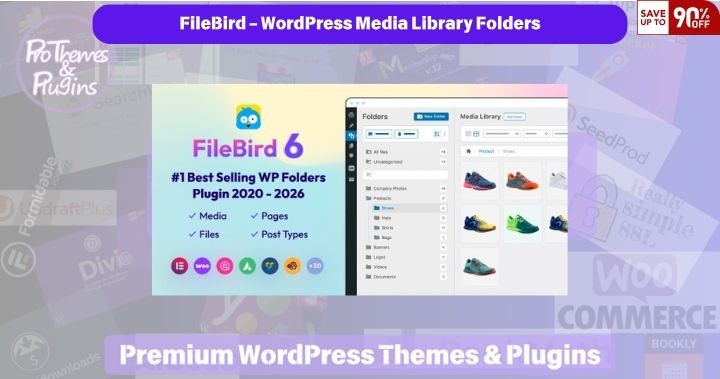
FileBird – WordPress Media Library Folders helps organise images, videos, PDFs and other attachments into visual folders. FileBird Pro 6.5.9 makes large media libraries easier to browse and manage.
Core Features
- Drag-and-drop media organisation and nested folders
- Bulk selection, sorting and contextual folder actions
- Folder-based galleries and media selection inside supported editors
- Folder export, import and download tools
- Visual organisation without changing the existing upload paths
What’s New in Version 6.5.9
The included changelog dates this release October 13, 2026. It adds backup management, improves accessibility and security, and fixes plugin conflicts and large-folder ZIP downloads.
Integration & Compatibility
The plugin requires PHP 7.4 or later. It includes integrations for Elementor, WPBakery, Divi and the WordPress block editor. Test your specific combination of WordPress, plugins and hosting before applying an update to a live website.
License & ProThemesWP Verification
The included license document identifies PHP and integrated HTML as GPL, with other assets subject to their applicable license terms. This supplier-provided package contains customised activation settings and is not represented as an unmodified author download. An author-issued license key and direct author support are not included.
ProThemesWP has used products from this supplier for years without problems in its own use. The package version and contents have been inspected, and the linked report matches this ZIP’s SHA-256 fingerprint. View the VirusTotal report for this exact ZIP. The scan results were not independently accessible during preparation; a report is not a guarantee of safety.
Why Choose FileBird?
FileBird provides a familiar folder workflow for editors, agencies and shops with many media files, reducing time spent searching through a flat library.
How to Install
Upload the supplied ZIP through Plugins → Add New → Upload Plugin, install it and activate FileBird Pro. If the free edition is active, deactivate it before activating Pro. Back up the site and folder data before updating; upload the new ZIP and choose to replace the installed version.
Changelog — Version 6.5.9
- Added backup management.
- Improved folder-tree and settings-page accessibility.
- Improved security.
- Fixed a conflict with WP Duplicate Page.
- Fixed corrupted ZIP downloads for folders containing many files in the Pro edition.
Summary from the changelog included in this package. Developer’s product page.
Related Products
Recently added products.